Lead Overview contains various reports relating to leads.
1. The "Lead Overview" page is accessible within the CRM section.

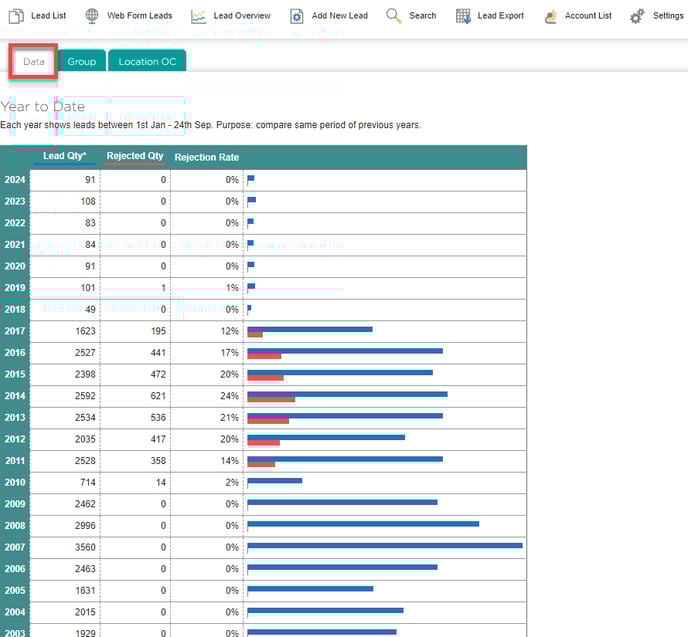
2. The "Data" tab shows the number of leads per year, and quantity/percentage where the status is set to "Rejected".
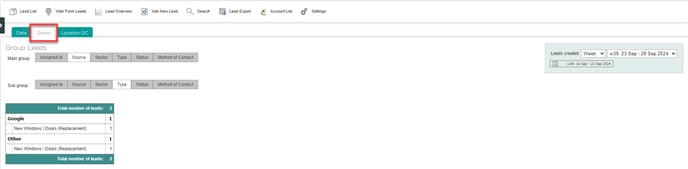
3. The "Group" tab allows a user to view leads broken down into different categories such as assigned sales person, sector, and status. By setting a different main group and sub group, you can see a breakdown of leads by two overlapping categories at once - e.g. how many quoted leads (Status) are for domestic enquiries (Sector) this month. The data range can be set on the right.
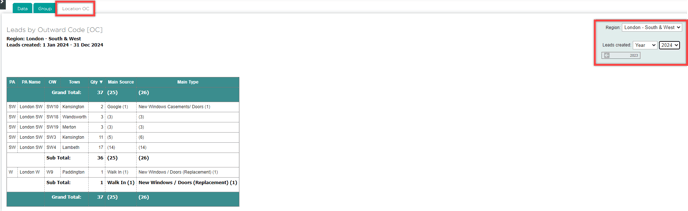
4. The "Location OC (Outward Code)" feature enables users to view the number of leads associated with a specific geographical area. To utilise this function, users can select a region from the dropdown menu located in the top right corner of the Integrate interface, where they will find three fields to complete:
- Region
- Length of time
- Time period
Once the user has chosen their preferred date range, the relevant lead information corresponding to those selections will be displayed.