Glazing and glazing bars
- Glazing can be edited by selecting any Glazing part from the explorer menu on the right, or clicking on the glass itself.
- To change between Single, Double, and Triple glazing, use the drop-down menu next to Glazing in the top left. This option will apply to all glazed units in the drawing.

- To change the glass type, click the dialog icon next to Glass or Internal/External Glass. Select a glass option and then choose whether to set this for the whole item or just a certain sash/sashes.
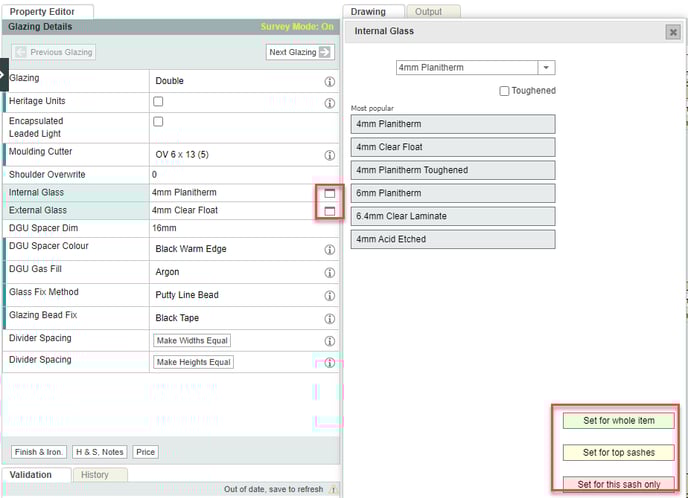
- To change spacer options (dimension, colour, and gas fill) on a double/triple glazed unit, use the DGU Spacer / TGU Spacer options.

- To add glazing bars, first select Glazing, and then click the GlazingBar button below the drawing:

Then choose a glazing bar design (Maximum 15 x 15 Config): 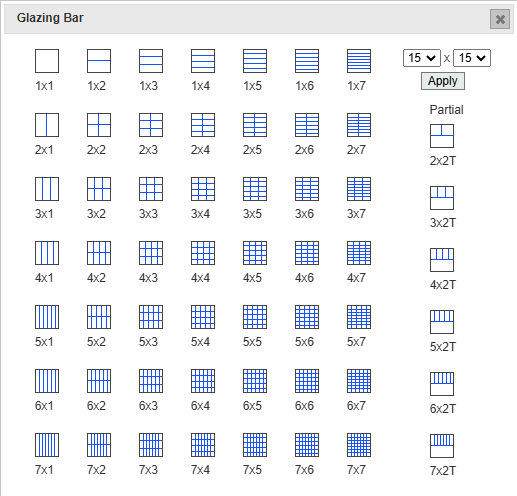
The chosen design is applied to the selected glazed unit only: 
- To toggle between separate panes of glass with solid bars, and a single pane of glass with astragal bars, use the Individual Panes tickbox (for single glazed) or the Heritage Units tickbox (for double glazed):
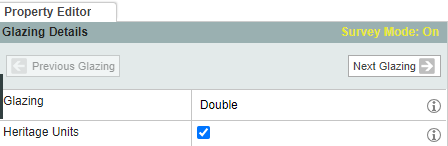
When ticked, each pane can be selected separately, to indicate that these are true panes of glass separated by solid bars: 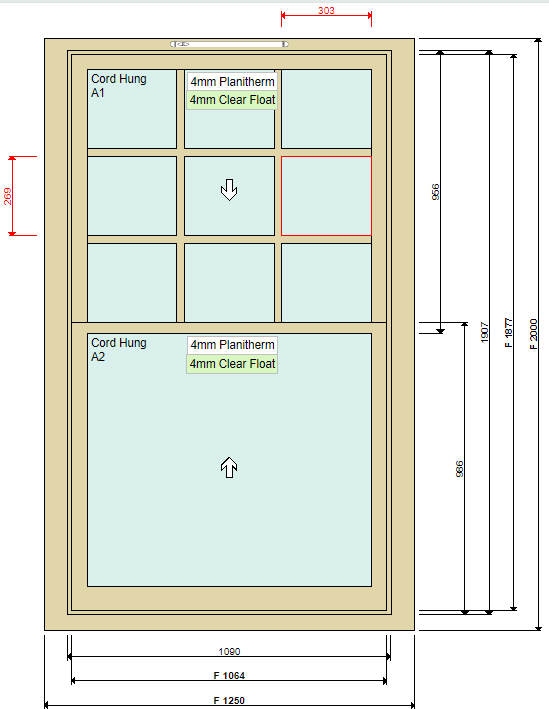
See also: Advanced glazing bar configurations