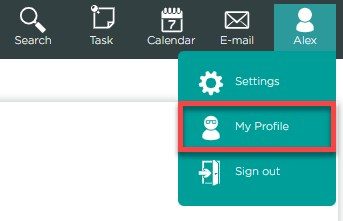
1. The "My Profile" Page is accessible at the top right corner of the interface, represented by a white silhouette icon of a person, with the signed-in user's name displayed underneath.
 2. When clicked, a small menu will appear, providing three options:
- Settings
- My Profile
- Sign Out
Click "My Profile"
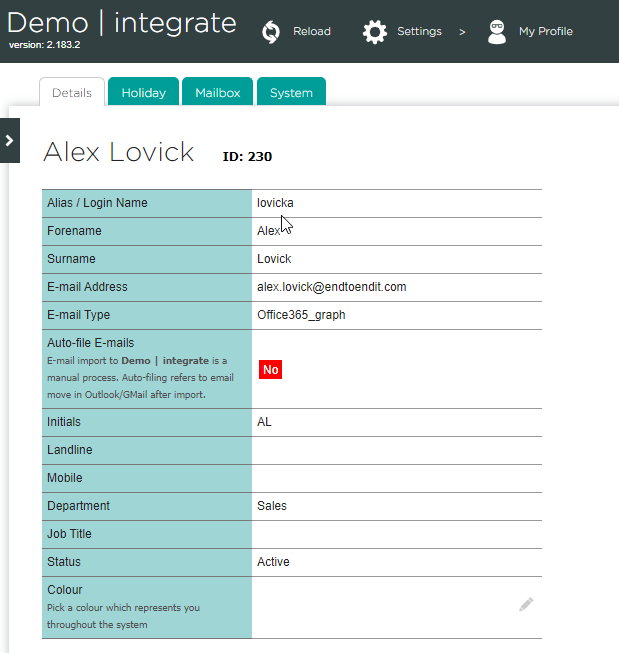
3. Upon selecting the "My Profile" option, you will be greeted with a summary of your user details, which includes essential information such as your username, email address, and contact information.
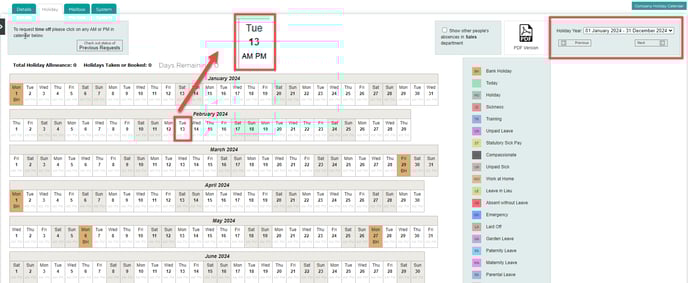
4. The Holiday Tab offers users a range of options to manage their holiday allowance effectively and view other absences within their department. Additionally, users can easily request time off by selecting the "AM" or "PM" buttons for specific dates on the calendar with a simple click.
Additionally, users can easily adjust the displayed year by choosing their preferred option from the date selector located on the right side of the page.
5. For Help with the "Mailbox" tab and email connections please CLICK HERE
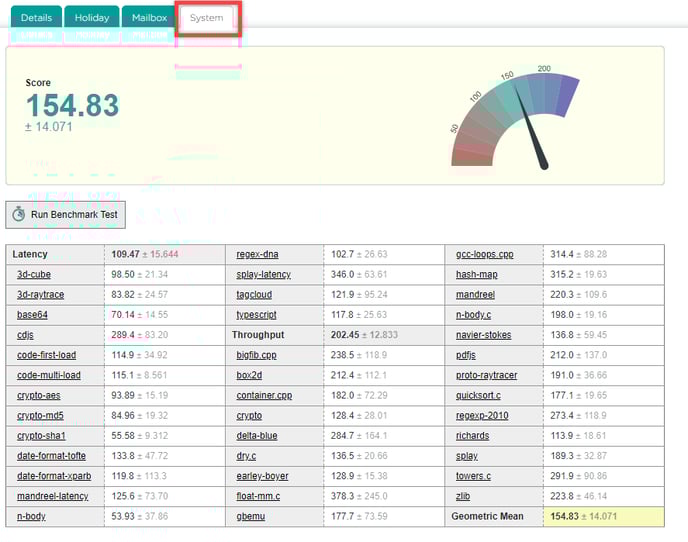
6. The "System" tab enables users to conduct a benchmark test to determine if their device has sufficient resources to run integrate effectively. When you click the "Run Benchmark Test" button, the system will initiate a series of performance tests on your device.