![End to End logo dark landscape cropped-01.png]](https://26925870.hs-sites-eu1.com/hs-fs/hubfs/End%20to%20End%20logo%20dark%20landscape%20cropped-01.png?height=40&name=End%20to%20End%20logo%20dark%20landscape%20cropped-01.png)
integrate uses Role Based Access Control (RBAC) to determine user access. This means that instead of configuring specific access for each individual user, users are assigned to groups, and access is configured on a group-level basis. This speeds up the onboarding process, as new users can simply be added to an existing access group based on their position.
Access is denied by default, meaning a user who isn't part of any access group will not have access to anything, and will just see a blank integrate home screen. If a user is added to multiple groups, they will gain access to everything that each of those groups can access. In other words, a user could be a member of ten groups, and only one of those groups would need to have access to a particular feature for the user to be able to access it.
To edit user access, go to Settings > Group. This page will show a list of all access groups, along with their members. You can also see the full list of users on the right, along with their group membership.
To edit group membership, click the pencil icon next to the group.
Here, you can edit the group name, add a description, and quickly remove existing members by clicking the cross next to their name. To add a member, click Show Member Selector to see a full list of users.
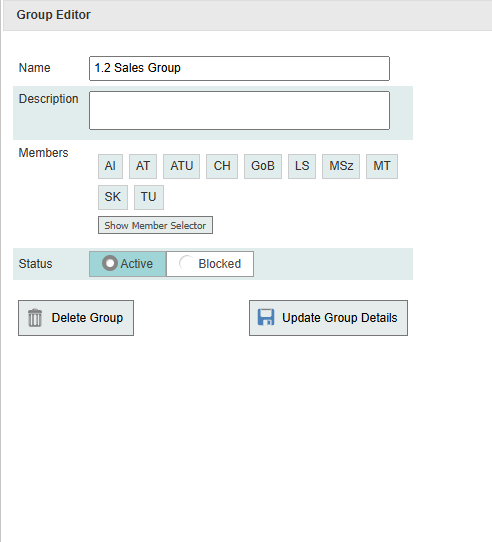
You can also change the status to Blocked to quickly turn off a group's access, or delete it entirely.
Access vs role
To edit a group's privileges, click access, role, or output next to the group name. Access determines which features in the system users have access to, and which will be listed on their homepage. Role determines how much users can do within those features. For example, permission to view the the Part List is granted under access, but permission to edit the Part List is granted under Role. Output determines which production outputs users can generate.
Granting additional access to users can increase your monthly subscription fee. Granting additional roles does not affect billing.