![End to End logo dark landscape cropped-01.png]](https://26925870.hs-sites-eu1.com/hs-fs/hubfs/End%20to%20End%20logo%20dark%20landscape%20cropped-01.png?height=40&name=End%20to%20End%20logo%20dark%20landscape%20cropped-01.png)
Please note: This issue primarily impacts Apple devices because they restrict the ability to disable zooming. This restriction is intended to enhance accessibility for visually impaired users. However, similar issues may also occur on other devices.
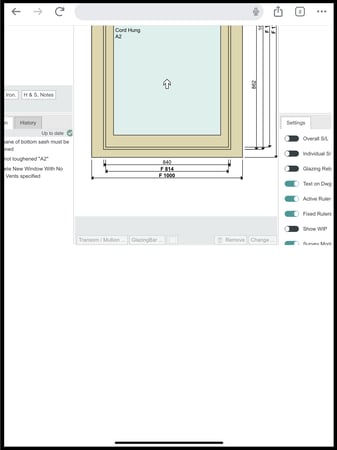
Example of issue using an Apple Ipad:
Solutions
Option A: Spin your device
If your device is capable of both landscape and portrait orientations, and rotation lock is turned off, you can refresh your view by physically rotating your device 90 degrees and then returning it to its original position. This quick action will temporarily switch between landscape and portrait modes, refreshing the display.

Please note: This may not work for all devices, if this does not work for you please try an alternative solution below.
Option B: Drag Up
Using your index finger and thumb, perform a pinching motion on the area of the screen below the drawing board. Then, drag your fingers downward to navigate your view back to the top of the drawing. This technique will also help you zoom out effectively.