![End to End logo dark landscape cropped-01.png]](https://26925870.hs-sites-eu1.com/hs-fs/hubfs/End%20to%20End%20logo%20dark%20landscape%20cropped-01.png?height=40&name=End%20to%20End%20logo%20dark%20landscape%20cropped-01.png)
Key Points: Sash Window Basics
1. Change dimensions.
Select the frame and then change the width and height. A pair of sashes can also be selected, and the internal frame width and internal frame height changed.

2. Remove a frame.
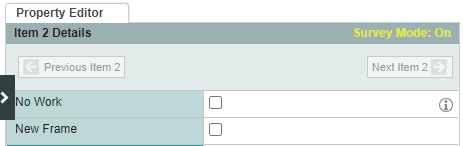
When quoting for new sashes only, select item, then untick the box new frame.
3. Replace one sash only.
Select the sash that will not be replaced, then untick the box to be replaced.
4. Change operating mechanism.
To change between weights, pulleys and spiral hung, select pair of sashes, then select the operation type.

5. Fix one sash.
Select top sash or bottom sash, and change the operation to fix.

6. Add ironmongery.
To add a sash horn, select pair of sashes, then choose a horn design for top sash horn type and/or btm sash horn type.
