-
On the order page, under the General tab, click the quote reference to go back to the original quote.
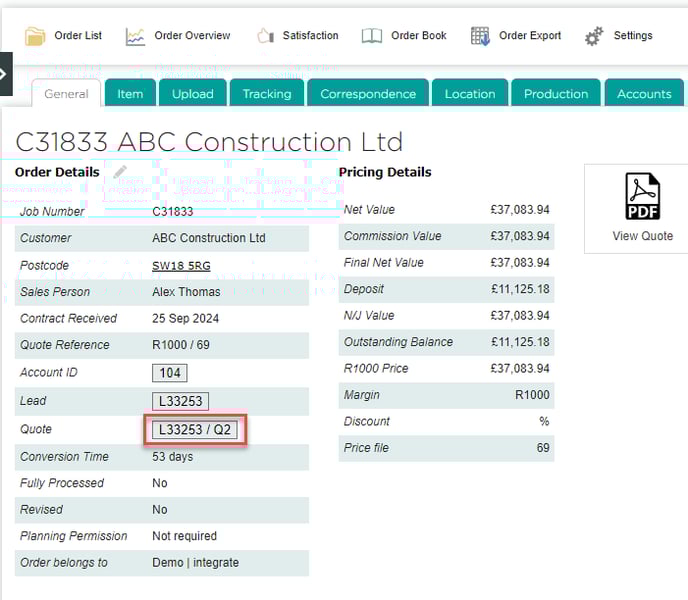
- Go to Quote Overview.

- For each item on the quote, next to Add Drawing, click More... and then Import.
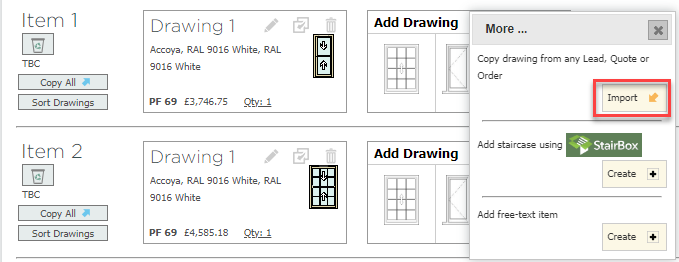
- In the dialog window, select Order, and then search for the order using the reference number. Choose the relevant Item number and Drawing number (this refers to the number of the survey drawing), and click Create new drawing by copying this.

- Once you have imported all the survey drawings, you will need to create a new quote using the Open Quotes window. Add all the new drawings then click Update.
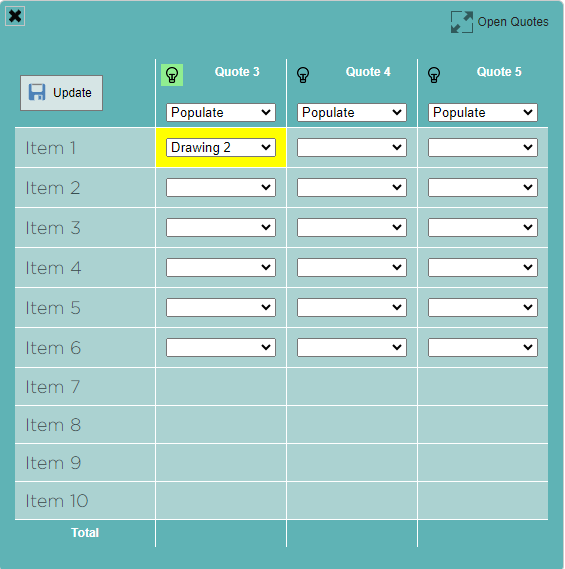
- Go to Quote Matrix, and select the newly created open quote.
- Click Update Drawings and then Publish Quote.


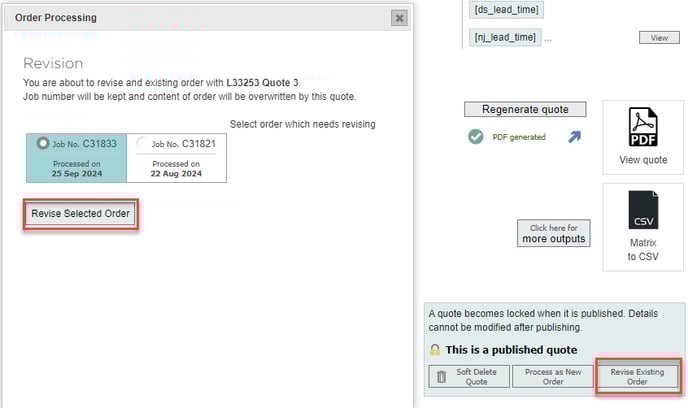
- Click Revise Existing Order, select the relevant order, and click Revise Selected Order.
English
![End to End logo dark landscape cropped-01.png]](https://26925870.hs-sites-eu1.com/hs-fs/hubfs/End%20to%20End%20logo%20dark%20landscape%20cropped-01.png?height=40&name=End%20to%20End%20logo%20dark%20landscape%20cropped-01.png)