![End to End logo dark landscape cropped-01.png]](https://26925870.hs-sites-eu1.com/hs-fs/hubfs/End%20to%20End%20logo%20dark%20landscape%20cropped-01.png?height=40&name=End%20to%20End%20logo%20dark%20landscape%20cropped-01.png)
Key Points: Drawing Multiple Panel Doors
1. Draw a door with multiple panels.
Select the door Leaf, then click transom / mullion below the drawing.
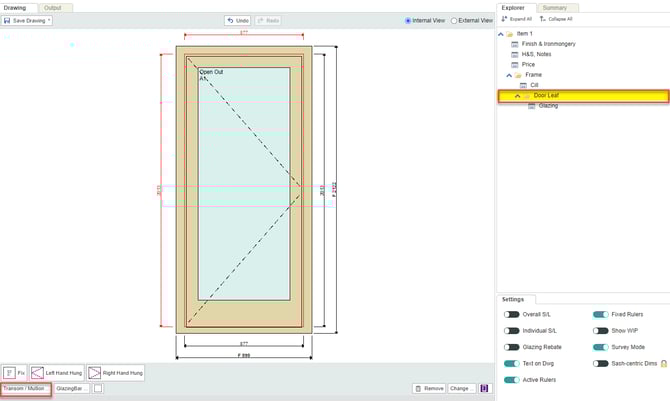
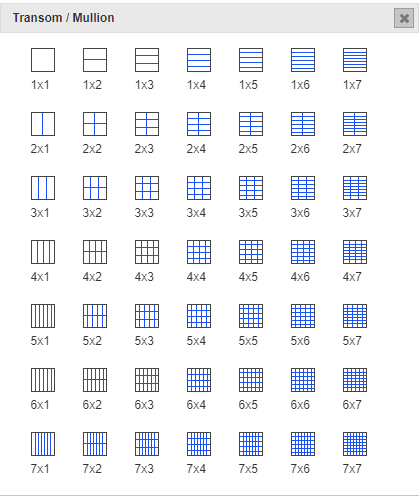
2. Divide the door leaf into panels.
Select the relevant option to divide the door leaf into the required number of panels. For example, select 2 x 2 for a four panel door.
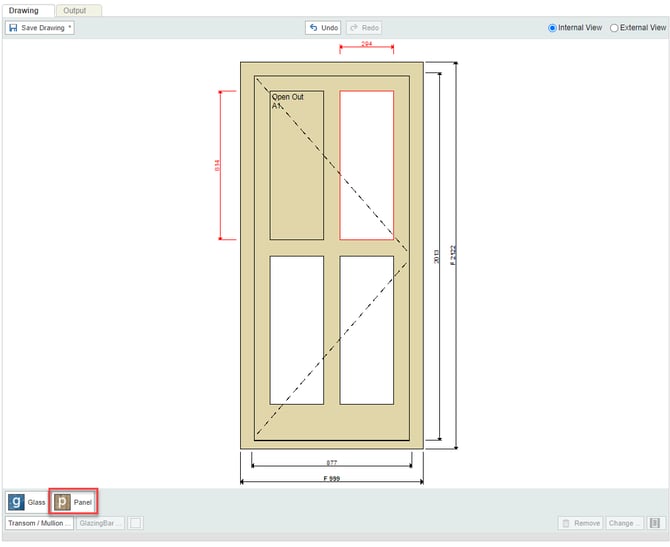
3. Select the panel to be configured.
Select each panel section in turn, click the panel button below the drawing.
Note: Alternatively, choose to add glass to the sections instead.
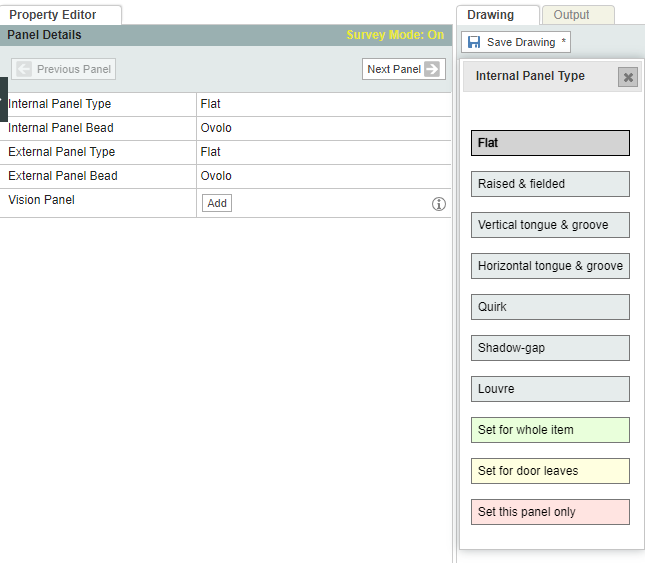
4. Change the panel type and beading.
Click the panel, then select the options on the left to change:
a. Panel type - For example, flat, raised and fielded, etc.
b. Beading - Fore example, ovolo, pencil etc.
Note: Internal and external designs are configured separately.
5. Change rail or muntin thickness.
Select the rail or muntin, update width, or move the thickness up or down by adjusting the offset.
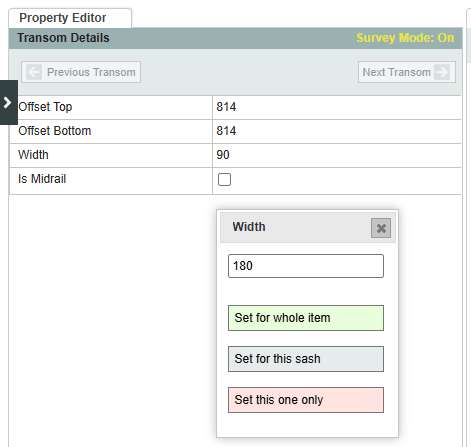
6. Designate the midrail.
Door midrails can have a different default width from other rails. Tick the is midrail box to designate a particular rail as the midrail. Switch range or click update to reapply the defaults for the current range. Select the sectional details category. 