![End to End logo dark landscape cropped-01.png]](https://26925870.hs-sites-eu1.com/hs-fs/hubfs/End%20to%20End%20logo%20dark%20landscape%20cropped-01.png?height=40&name=End%20to%20End%20logo%20dark%20landscape%20cropped-01.png)
Key Points: Creating an Arched Frame French Door
1. Create an item.
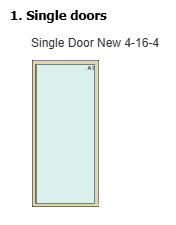
Create an item, then select a standard single door frame.
2. Select the glass.
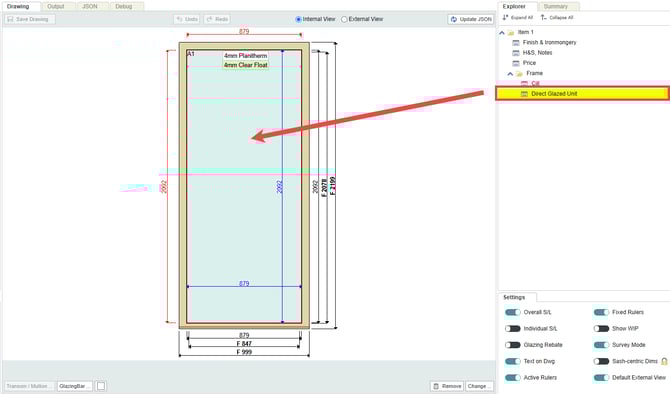
On the DrawingBoard select the glass within the window, or click the direct glazed unit within the explorer on the right-hand side of the screen.
3. Place the French doors in the frame.
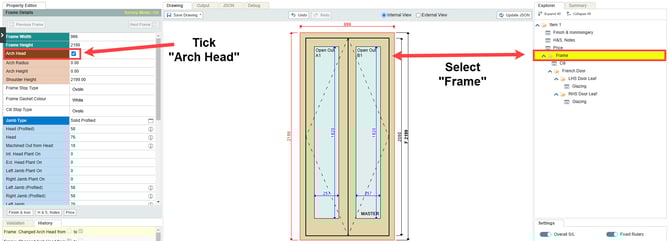
Click the change button at the bottom right of the drawing, then select the French door option from the list.

4. Access the property editor.
Click on the frame in the drawing, or using the explorer select the frame and access the property editor. Tick the arch head option to view arch radius, arch height, and shoulder height properties.
5. Curve the frame.
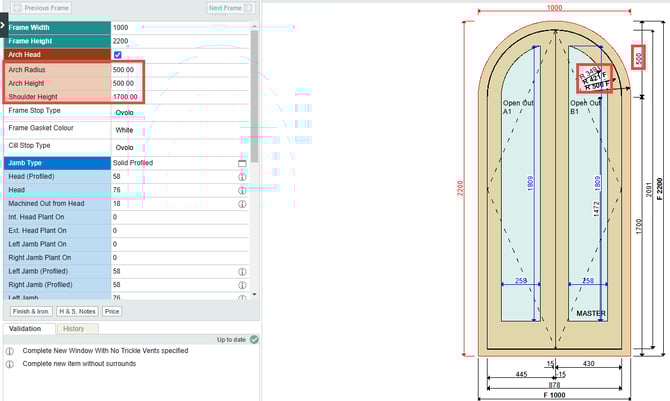
Adjust the values in the newly displayed input fields. In the example below, height is set to 500 mm. When a value is entered for either radius or height, the corresponding arch will be visualised on the DrawingBoard.
Note: When one value is entered, the other will be automatically calculated by the software., where Arch Radius = (Height / 2) + (Width^2 / (8 * Height)) .
Key Points: Creating an Arched Sash French Door
1. Creating an arched sash French door vs an arched frame French door.
The process for designing an arched sash French door follows that for an arched frame French door, with one exception - simply unselecting the frame head option.
2. Select the door leaf.
In the DrawingBoard, click on the left or right door leaf, or by using the explorer on the right-hand side of the screen.
3. Create the arched sash design.
Untick the curved frame head option to leave curved sash head and frame level arch options active.
