- Locate the order, either using the main search in the top right, or via the Order List.
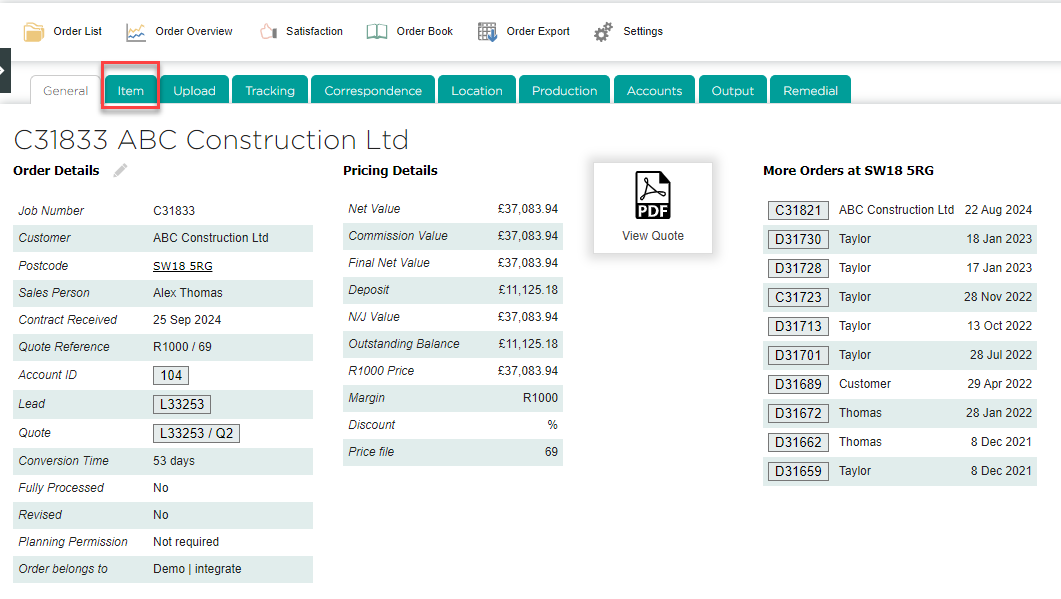
- Go to the Item tab.
- You will see a list of sales drawings copied from the quote. Click Create Survey Drawing next to any item.
Tip: if you need to quickly generate production output sheets for all items, click Process All Items and See Outputs. This will copy all sales drawings as survey drawings, and mark them all as "Processed by Survey".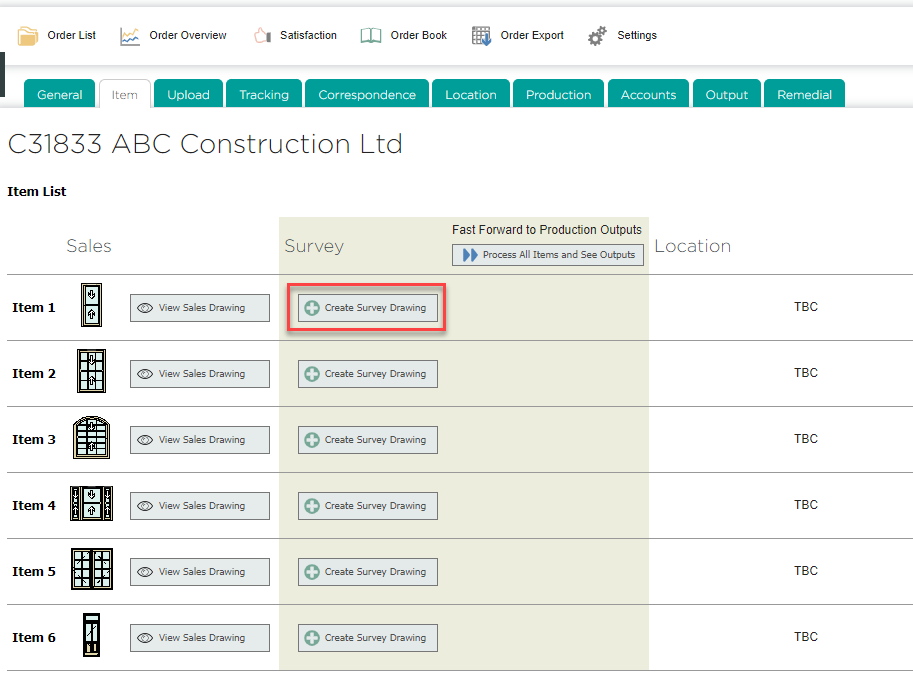
- DrawingBoard will open for the technical surveyor to make any adjustments. After selecting Item in the explorer menu, you will see that the Drawing Status starts off as "With surveyor". This should be updated to "Processed by Survey" once the survey is complete.

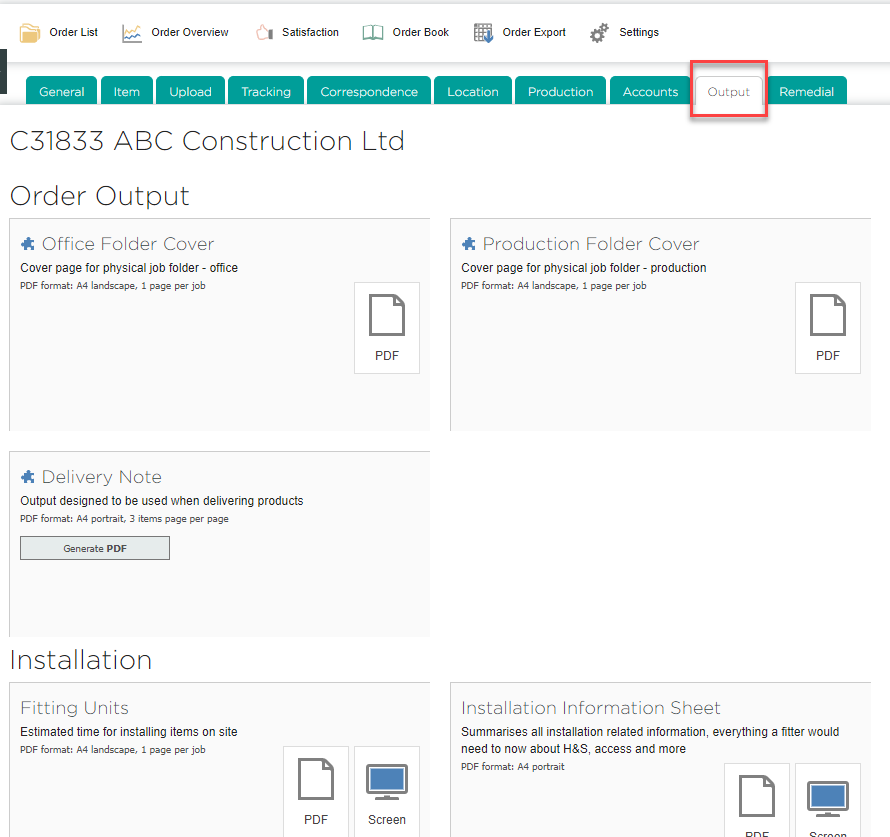
- Once a drawing is marked as "Processed by Survey", production output sheets can be generated for that item by going to the order's Output tab.
English
![End to End logo dark landscape cropped-01.png]](https://26925870.hs-sites-eu1.com/hs-fs/hubfs/End%20to%20End%20logo%20dark%20landscape%20cropped-01.png?height=40&name=End%20to%20End%20logo%20dark%20landscape%20cropped-01.png)