![End to End logo dark landscape cropped-01.png]](https://26925870.hs-sites-eu1.com/hs-fs/hubfs/End%20to%20End%20logo%20dark%20landscape%20cropped-01.png?height=40&name=End%20to%20End%20logo%20dark%20landscape%20cropped-01.png)
Video Guide: Creating Budget Quotes
This video shows how to create budget quotes from either a new or an existing lead.
Key Points: Creating Budget Quotes
1. Create or find a lead.
Create a new lead or go to an existing lead. If quoting without a site visit, use integrate to view the location, store photos, and view leads or orders at the same location:
a. Location tab - Street view gives an idea of the architecture of the building.
b. Uploads tab - Store images sent by the prospective customer.
c. General tab - Click the leads and orders at the same location button to see existing leads and orders from nearby postcodes.
2. Create a quote.
On the quote tab, go to manage quotes. Create a quote as normal. Click the edit quote details button on the bottom right of the matrix page.
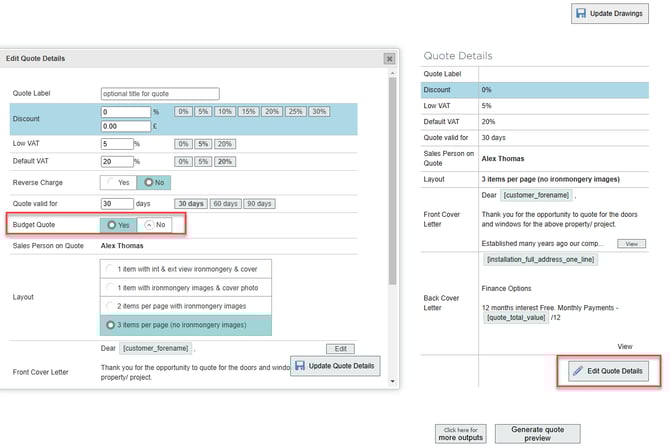
3. Set budget quote.
Set budget quote to yes, click update quote details.
Note: Budget quotes can be published like normal quotes, but they cannot be processed as live orders.