![End to End logo dark landscape cropped-01.png]](https://26925870.hs-sites-eu1.com/hs-fs/hubfs/End%20to%20End%20logo%20dark%20landscape%20cropped-01.png?height=40&name=End%20to%20End%20logo%20dark%20landscape%20cropped-01.png)
Key Points: Creating a Window with Angled Rails
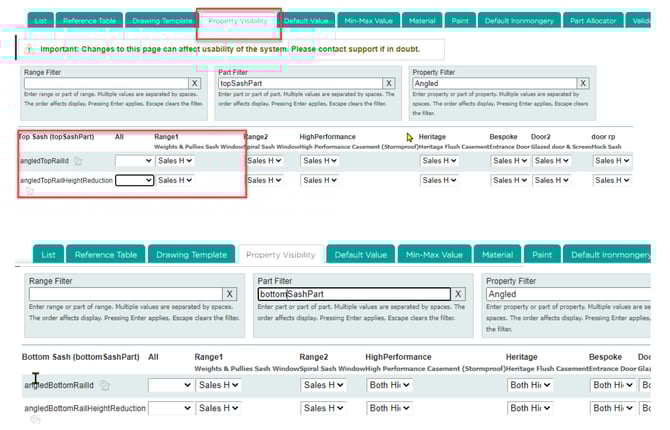
1. Switch on angled rail properties.
Ensure angled top rail and angled bottom rail properties are visible, for the top and bottom sashes on the drawing. If not, switch on under topSashPart and bottomSashPart, respectively.
2. Select the top sash.
Select the top sash, pick an option for the angled rail.

4. Specify the angle.
After selecting an option, a box will appear to specify how steep the angle should be.


4. Repeat for the bottom sash.
Select the bottom sash, pick an option for the angled rail, and specify how steep the angle should be.
